Building software. Turning ideas into useful digital experiences.
I build things people actually use. The unglamorous parts get the same attention as the visible ones — error states, slow connections, the edge case that only appears on someone else's device.
Most of my work is for the web, because the web reaches people without asking permission first. When a problem needs a different shape, I reach for a different tool.
→ WHAT I HOLD TO
01
Build for the real world
Assume a poor connection, an older device, and someone in a hurry. If it only works in ideal conditions, it does not work.
02
Ship, then listen
Something in a person's hands teaches more in a week than a specification teaches in a month.
03
Leave it readable
Code gets read far more often than it gets written — including by me, months later.
✦ SELECTED WORK
CCI Market Command Center
Trading terminal · Multi-timeframe alert system
A local, read-only alert terminal that reads a live public market
WebSocket feed and watches several instruments across six timeframes at once.
It is a scanner, not an auto-trader — it never places an order. The job is to
tell you the moment a setup you defined actually appears, so you are not
staring at charts waiting for one.
Signals come from indicator crosses confirmed across two timeframes: a
higher timeframe establishes the regime, the working timeframe triggers the
entry. Three strategy modes ship with it — a dual DeMarker + TDI Market Base
Line regime check, a main-timeframe-only DeMarker cross, and a CCI regime
confirmation with a configurable period. Signals are only evaluated on candle
close, and the regime reading always comes from a completed candle, so nothing
fires on a half-formed bar. Boom indices alert long only, crash indices short
only. Routes run D1→H4 down to M5→M1, selections persist between launches,
and there is a backtest report to check a configuration before trusting it.
Walkthrough — live matrix, timeframe routes and alerts · 1:08
Node.js
WebSocket feed
Multi-timeframe
DeMarker
TDI
CCI
Backtest report
Read-only
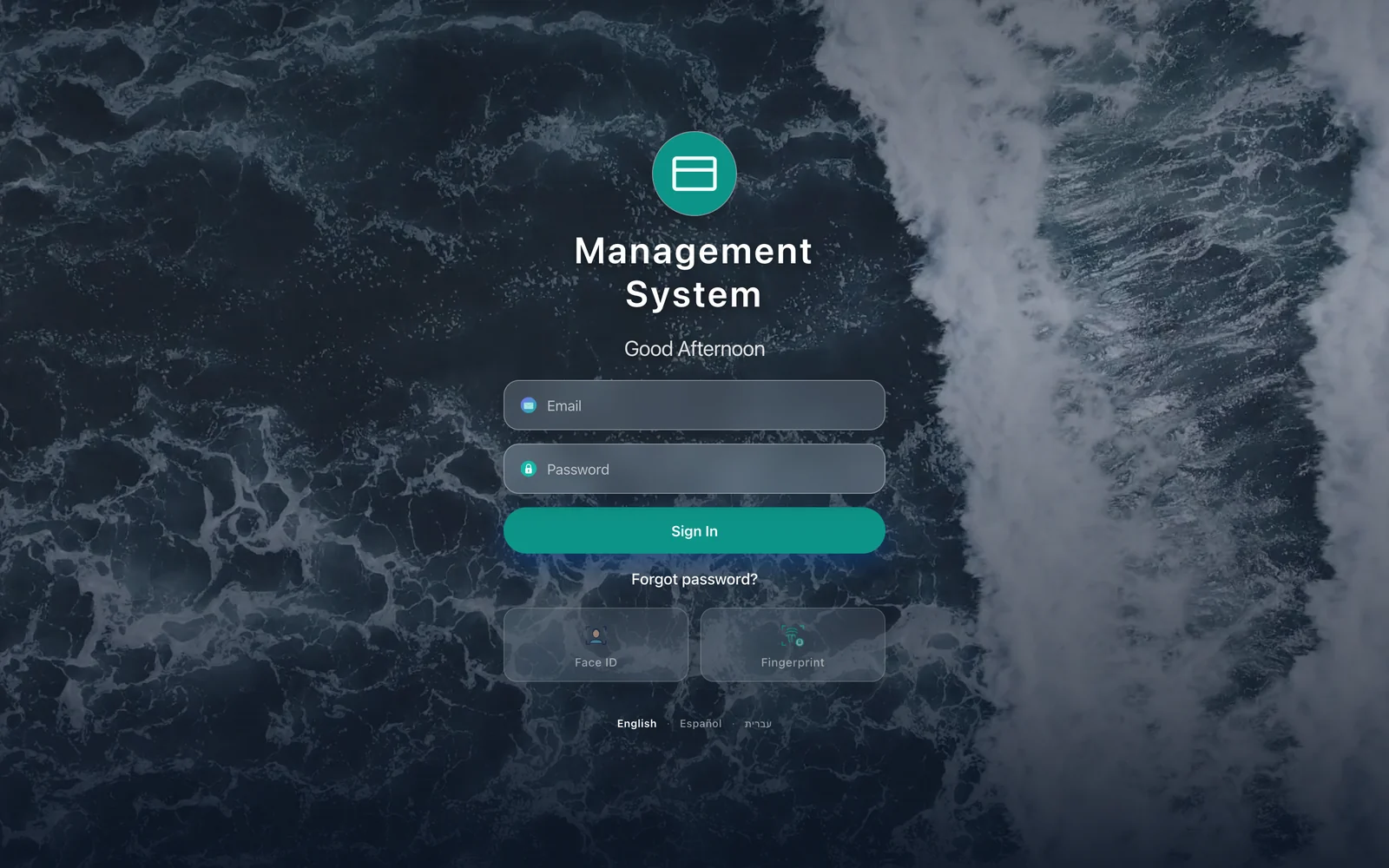
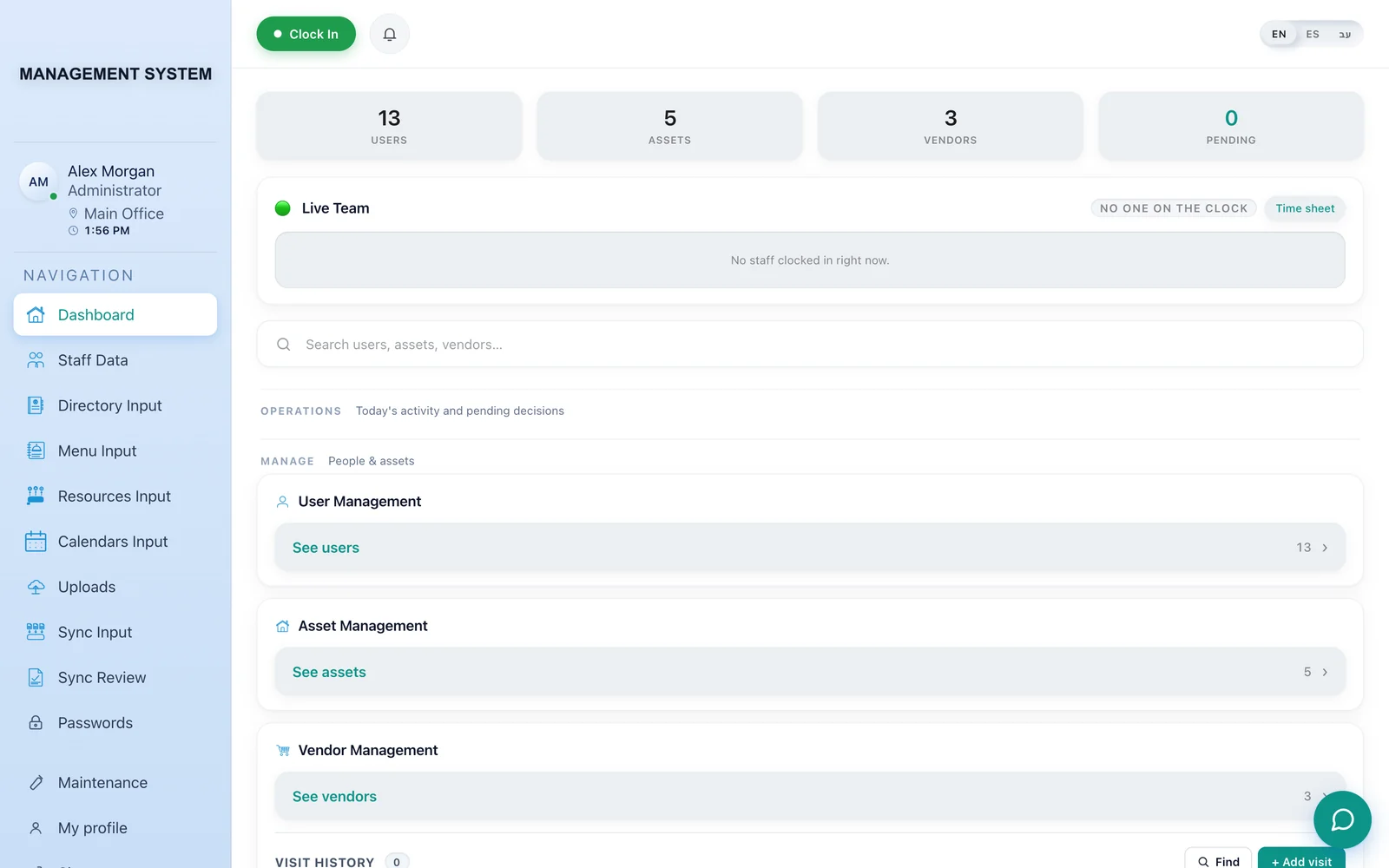
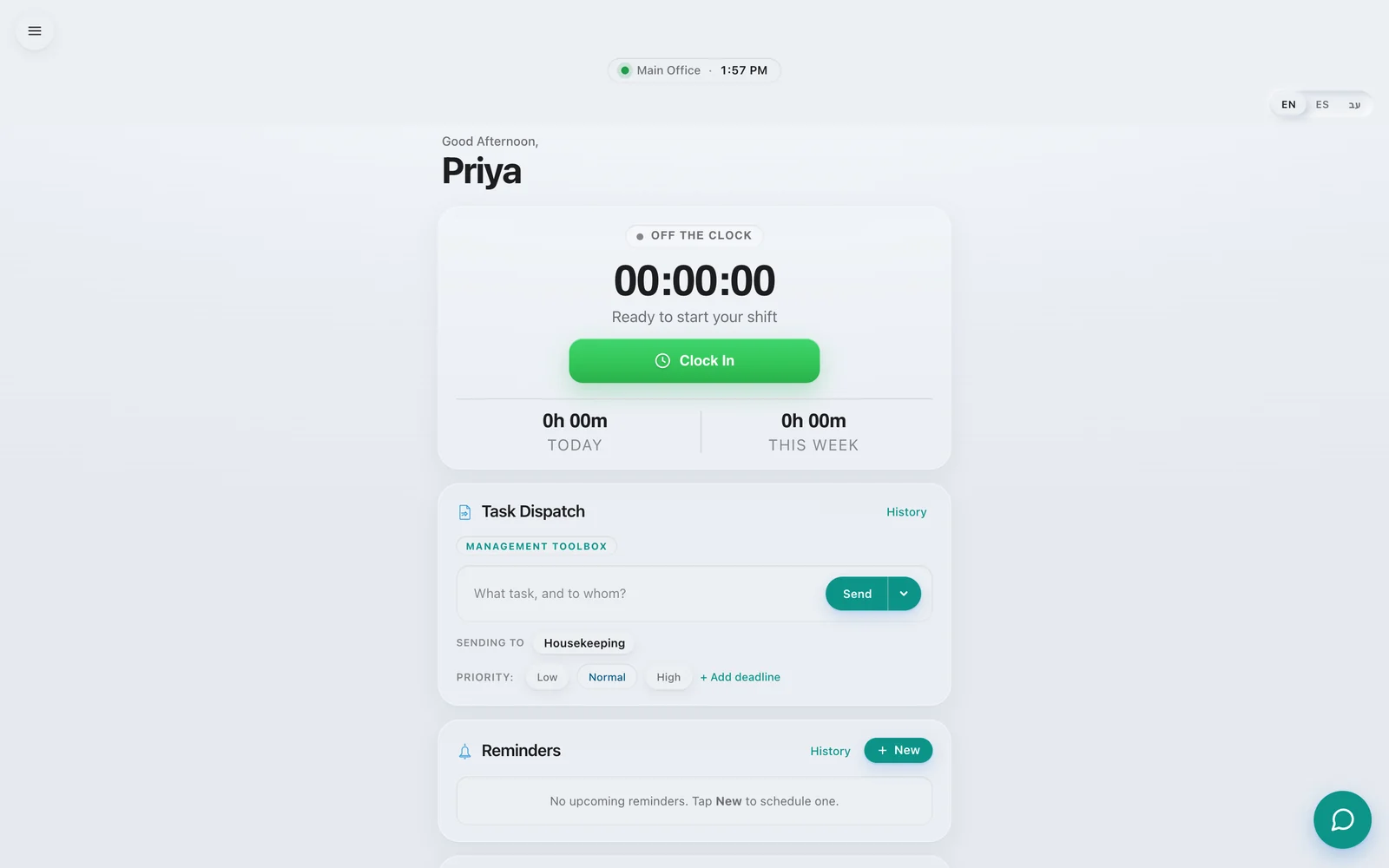
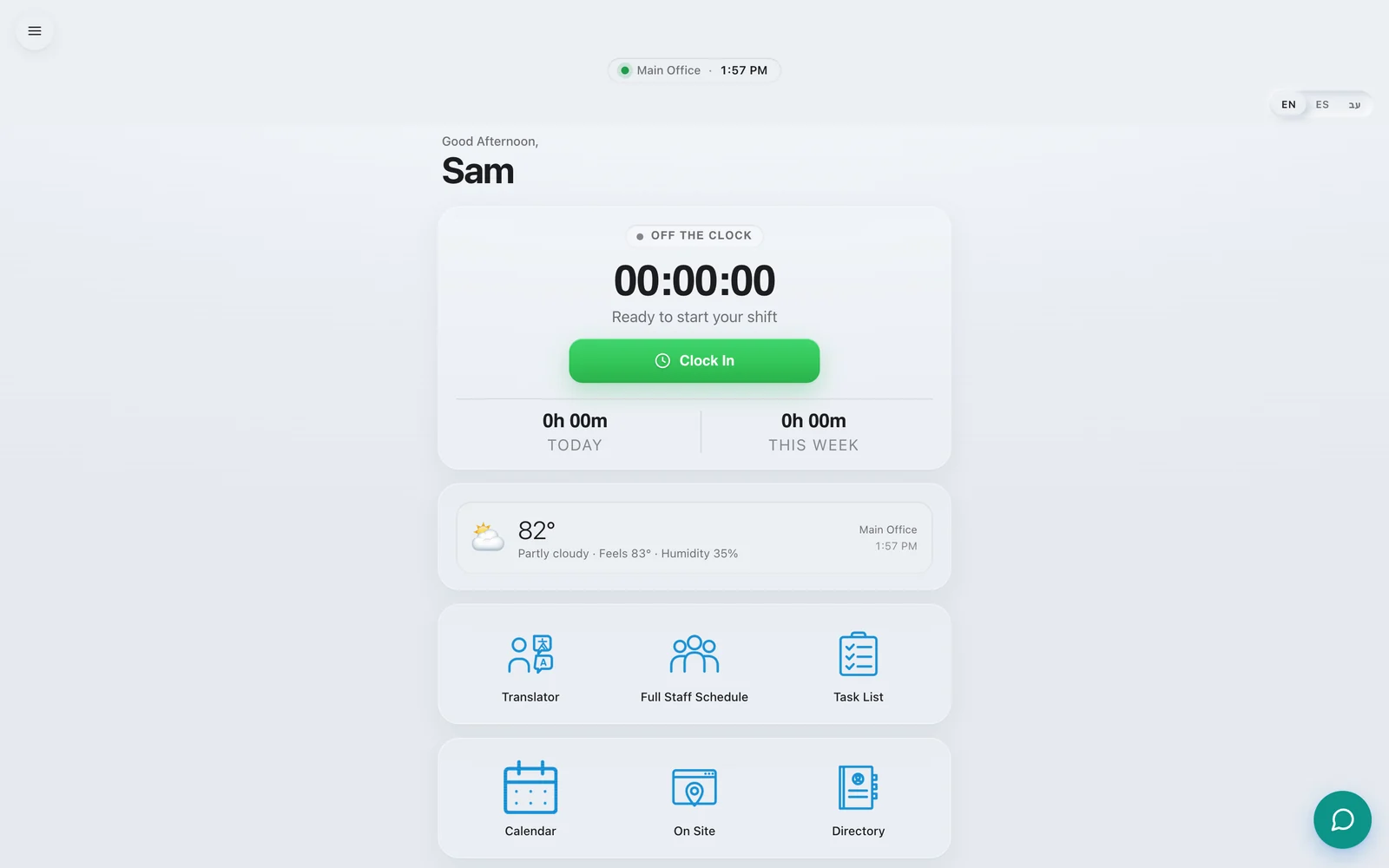
Management System
Web platform · Operations, staffing & scheduling
A role-based operations platform for a private organisation. Four access
levels — administrator, principal, manager and staff — each landing on a
different console. Time tracking with clock-in and timesheets, staff records,
asset and vendor registers, scheduling, task dispatch, reminders, document
uploads and a password vault. Built as a progressive web app so it installs
on a phone and keeps working on a weak connection.
Building it was half the job. I flew from Nairobi to New York to put the
platform into production on site — running go-live in the organisation’s own
offices, then working through it with each group in turn: administrators on the
registers and the credential vault, managers on dispatch, staff on the shift
clock.
Being in the room is what makes the difference: you watch people use a thing
in front of you, catch what the specification missed, and fix it before you
leave.
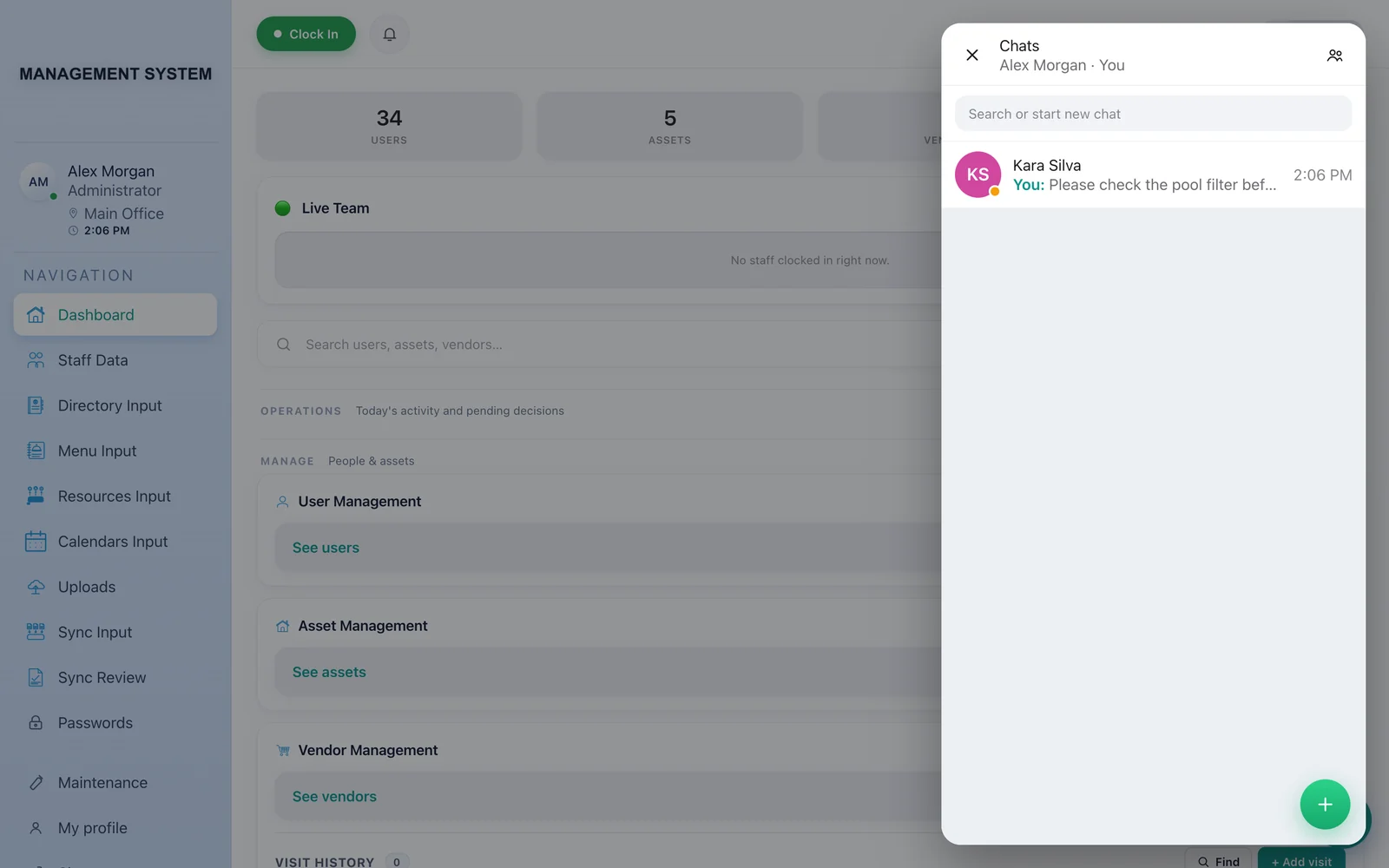
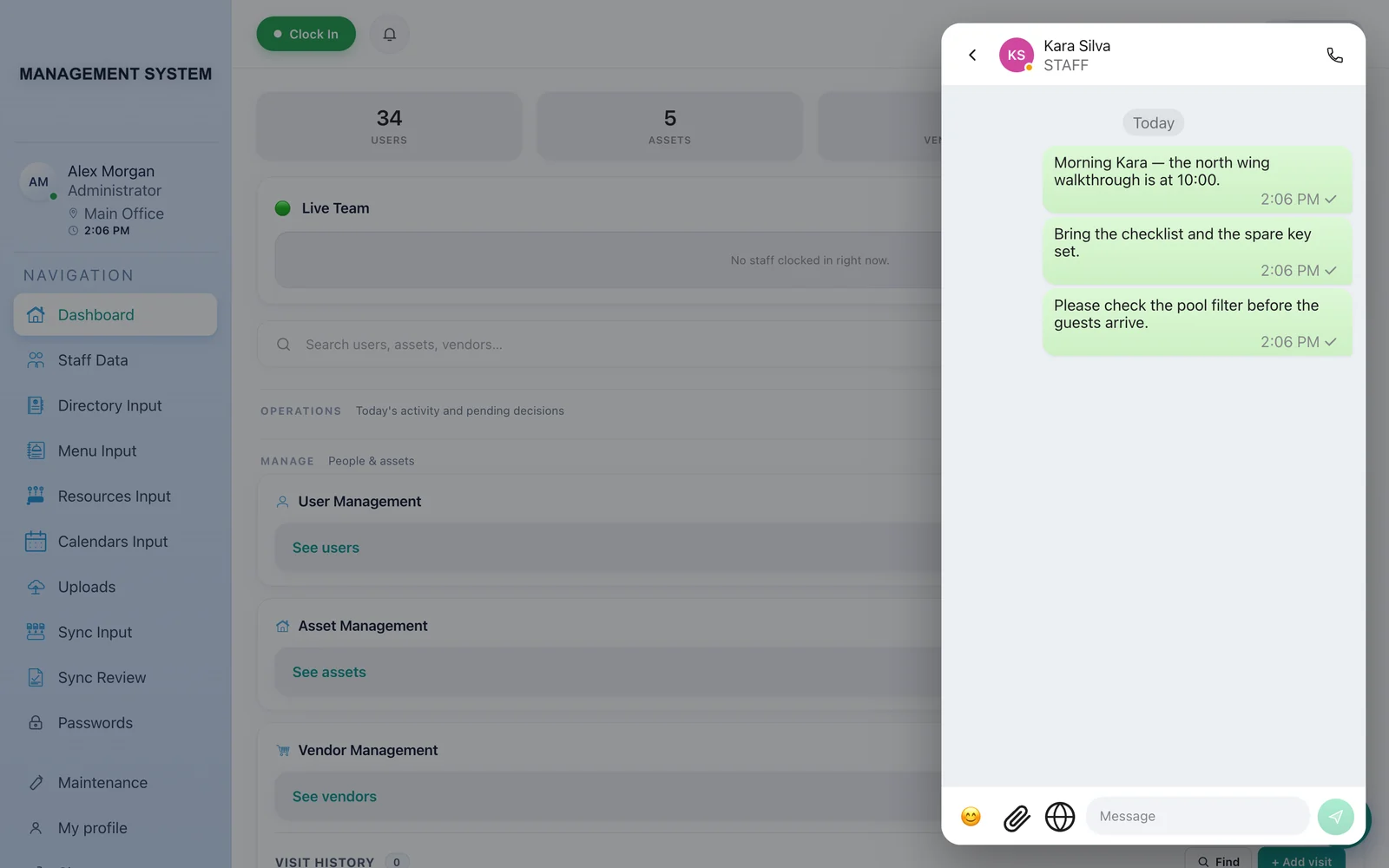
Real-time messaging · Built into the platform above
A messaging system built from scratch rather than bolted on, because the
organisation needed conversations to stay inside its own infrastructure.
Direct messages and groups, presence and typing indicators, read receipts,
replies, reactions, file attachments, voice calls and exportable history.
State lives in a Durable Object per conversation, so message ordering holds
even with everyone connected at once.
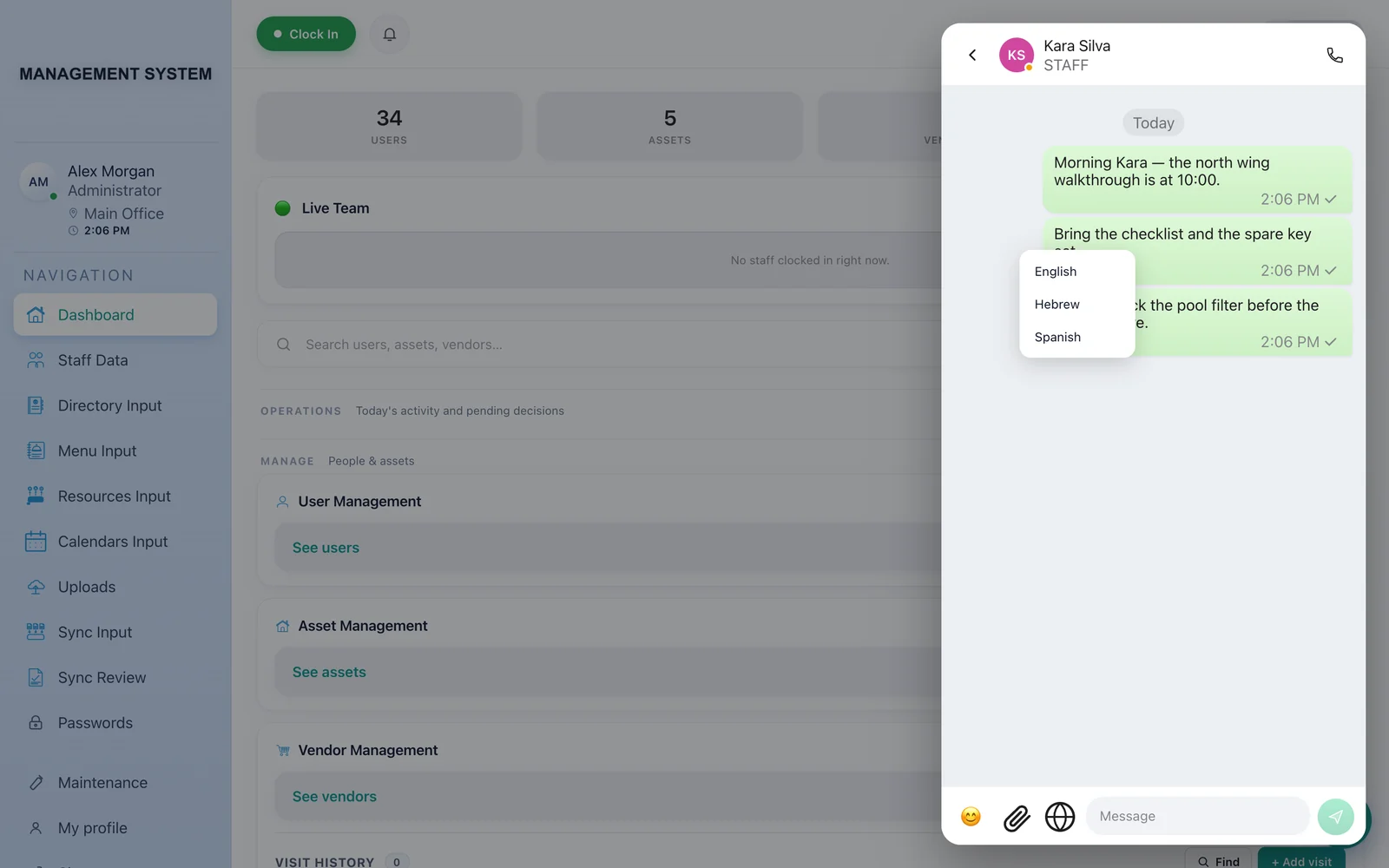
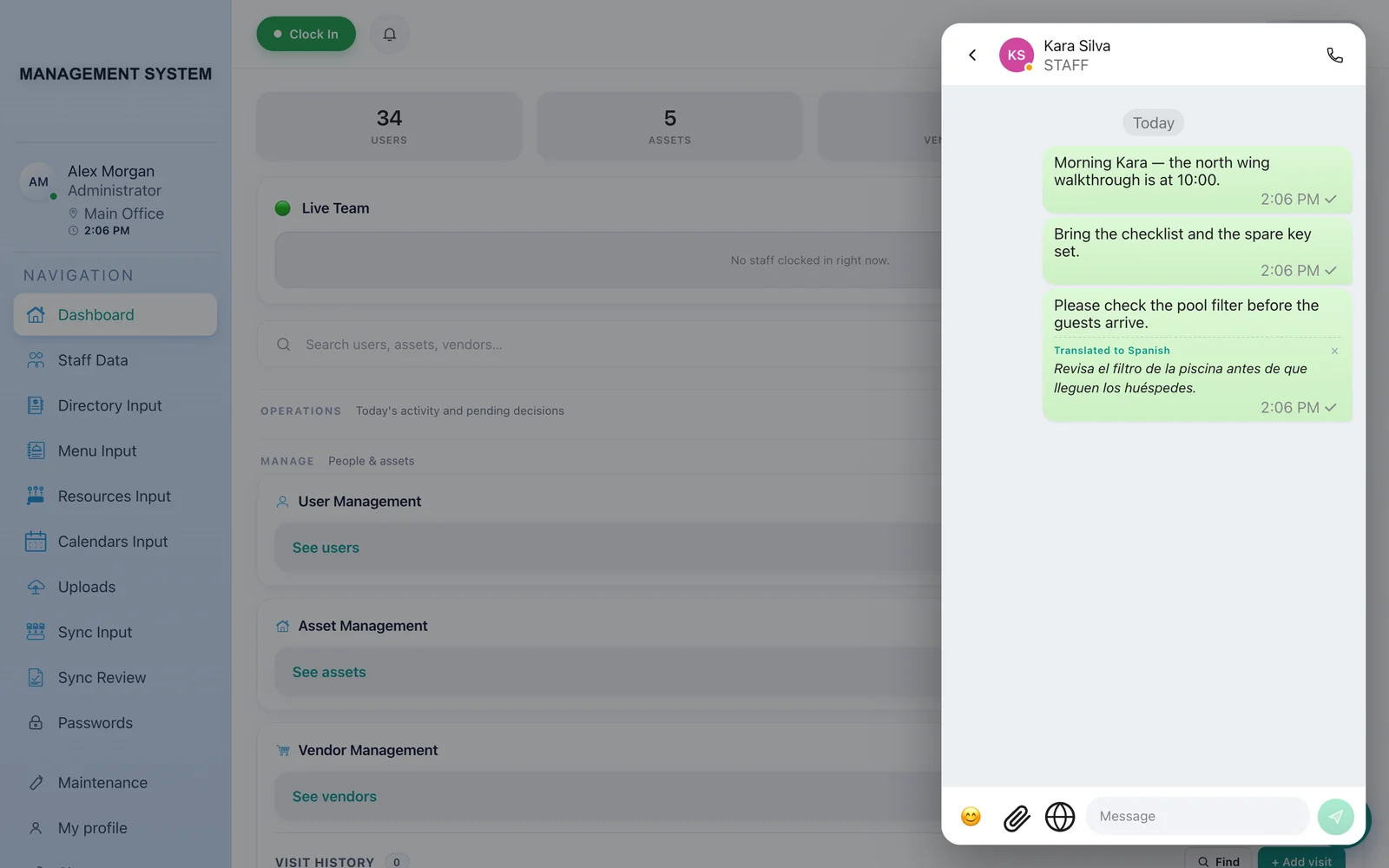
The feature that mattered most was translation. The team
did not share a first language, so any message can be translated in place —
English, Hebrew and Spanish — without leaving the thread. The original text
stays visible above the translation, so nothing is hidden behind an
interpretation, and the source language is detected rather than assumed.
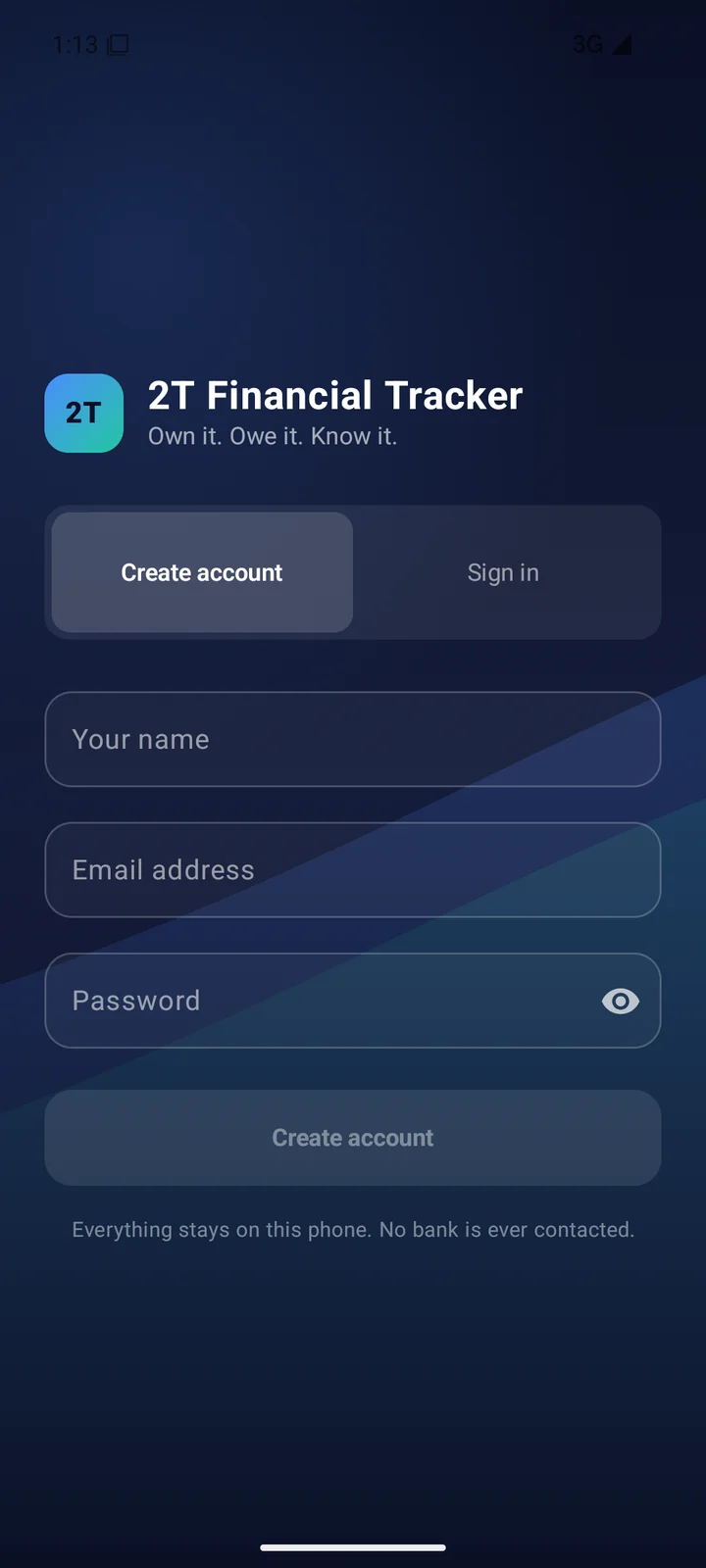
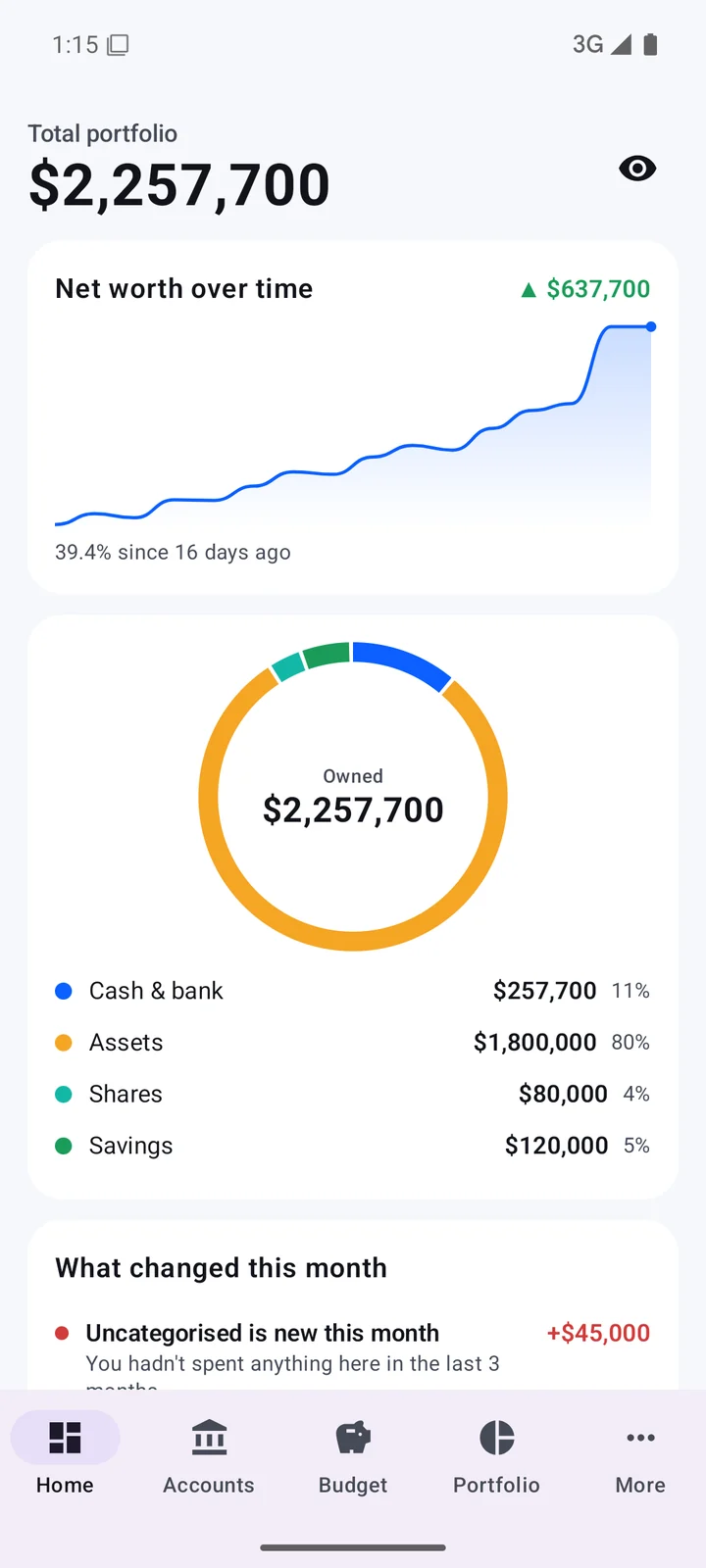
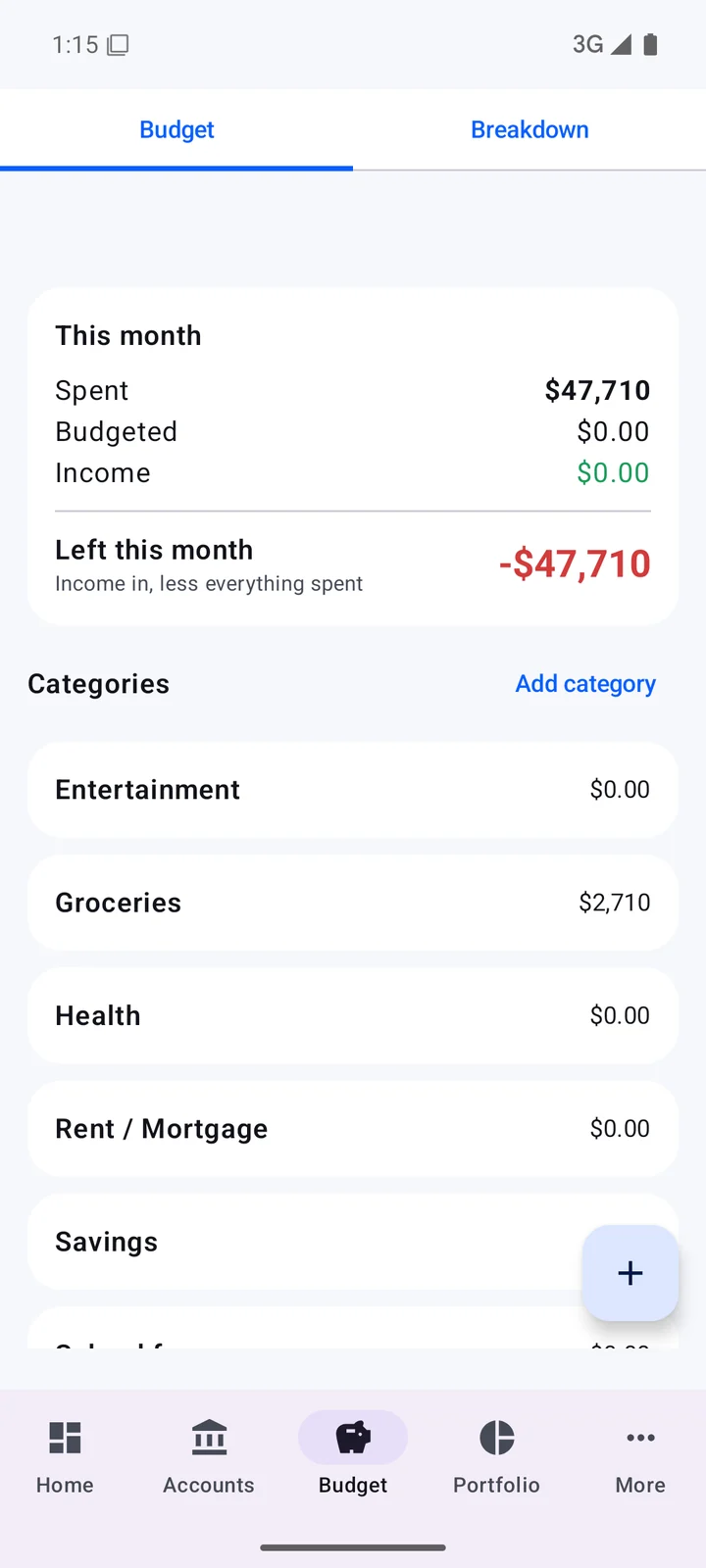
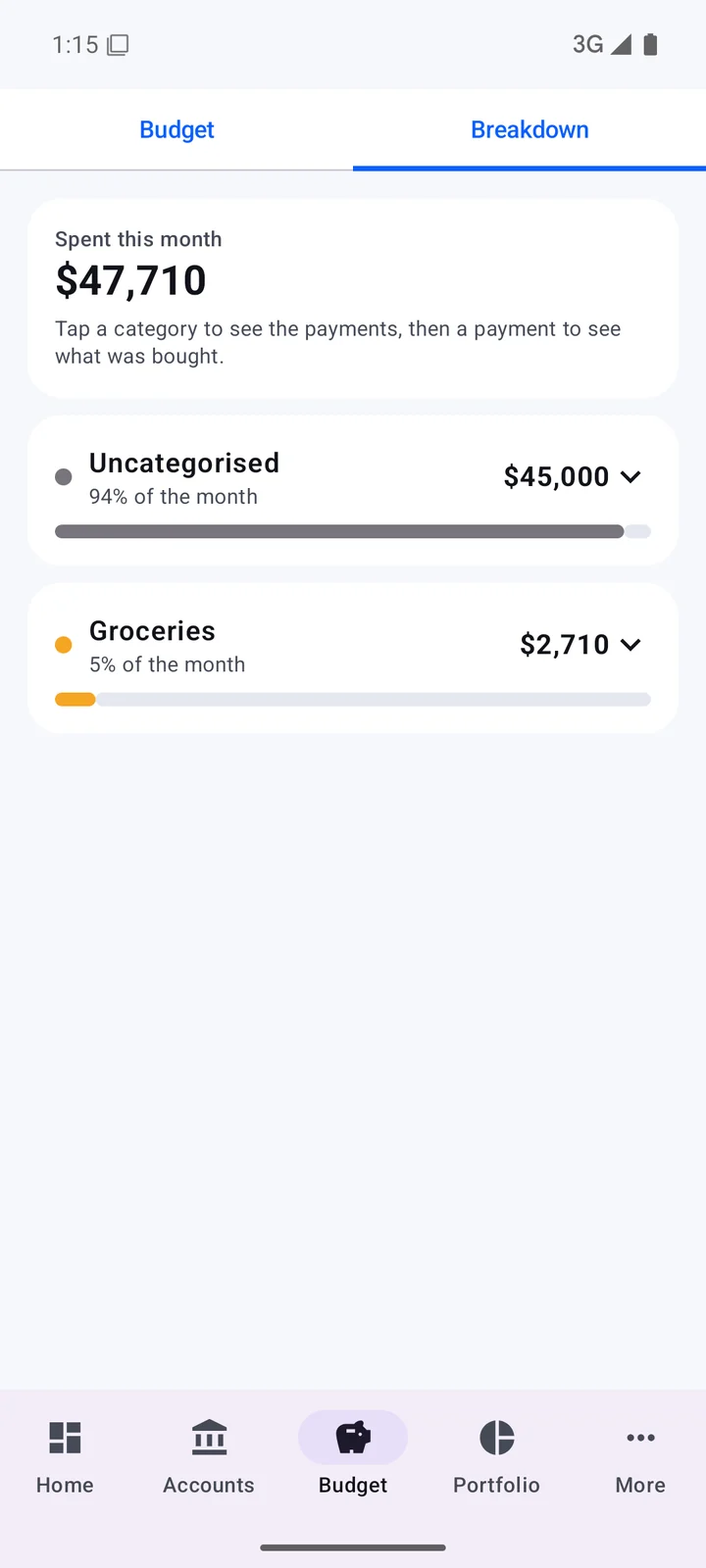
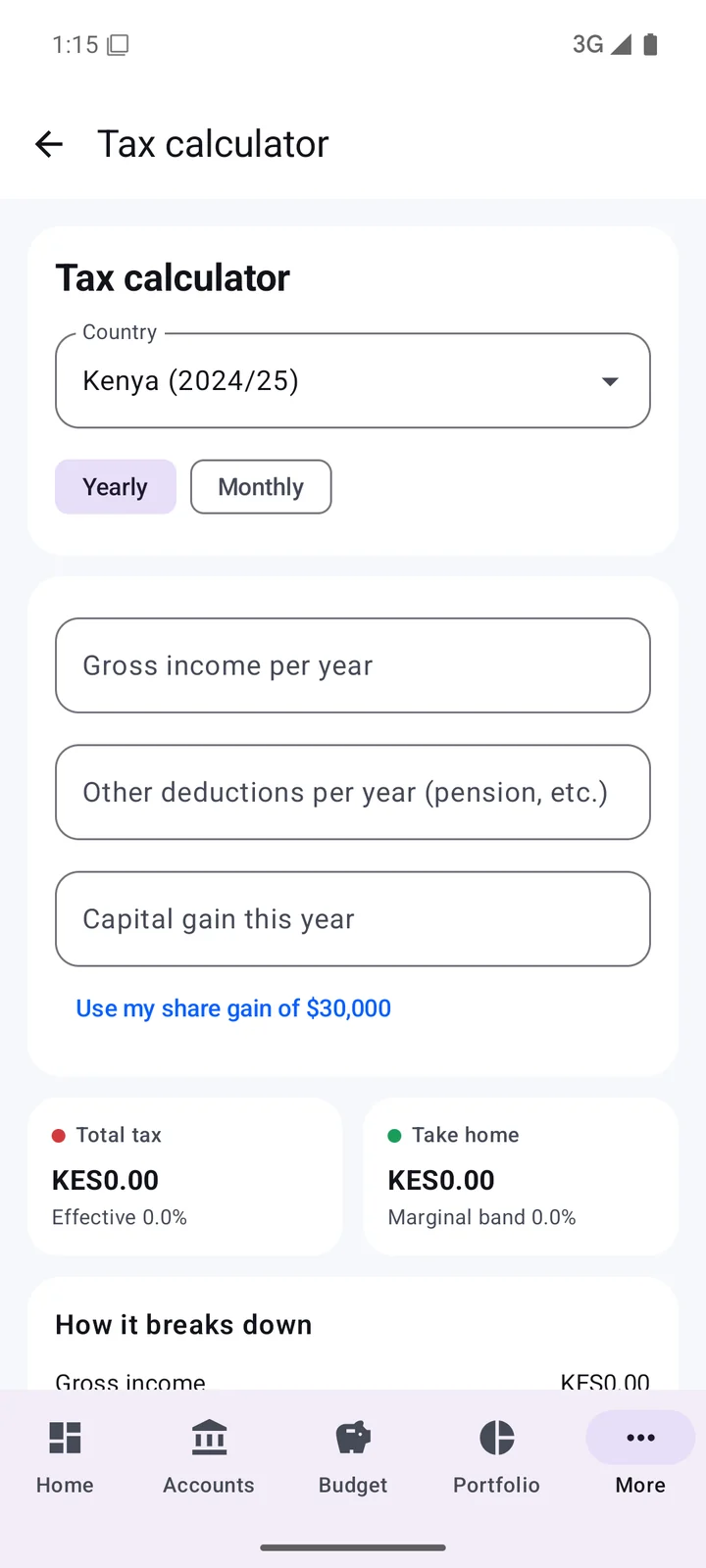
A personal-finance and net-worth tracker for Android. Accounts, assets,
shares and savings roll into one portfolio figure with history, a category
budget with a spend breakdown, and a tax calculator with country-specific
bands. Everything is computed and stored on the device — no bank connection,
no data leaving the phone, which was the requirement that shaped the build.
I automate the inboxes organisations drown in. A concrete one I have
built: inbound triage and routing for a shared inbox.
01
Trigger — an IMAP/Gmail node watches the shared
mailbox and fires per new message.
02
Classify — subject and body go to a classifier
step that assigns a category: invoice, maintenance request, supplier quote,
or noise. Rules handle the obvious cases; a model handles the rest.
03
Extract — for invoices, a structured-output step
pulls supplier, invoice number, amount and due date into clean fields.
04
Route — a switch sends each category down its own
branch: invoices append to the finance sheet and notify accounts, maintenance
opens a task in the ops channel, quotes file to procurement.
05
Acknowledge — the sender gets a templated reply
with a reference number, so nobody chases.
06
Don't double-handle — every processed message ID is
stored, so a retried run can't post the same invoice twice. Failures land in an
error workflow that retries with backoff and alerts a human.
The point is not the email. It is that a request cannot be
quietly lost, and nobody spends a morning sorting a mailbox by hand.
Calendar automation
Scheduling that maintains itself. Google Apps Script runs inside the
workspace on time-driven and edit triggers — reading a roster sheet, creating
and updating calendar events, inviting the right people, and reconciling
changes rather than duplicating them. Where the logic is heavier, a Python
service against the Calendar API does the work and Apps Script just triggers
it. Reminders go out ahead of shifts, and a change in the roster reaches the
calendar without anyone re-typing it.
Apps Script
Python
Calendar API
Time-driven triggers
Idempotent sync
Systems built on local LLMs
For organisations that cannot send their data to a third party, I build on
models that run on their own hardware. Locally hosted LLMs handle document
question-answering over internal files, drafting, summarising and
classification — the same usefulness, without the material leaving the
building. It also removes the per-call cost, which changes what is worth
automating in the first place.